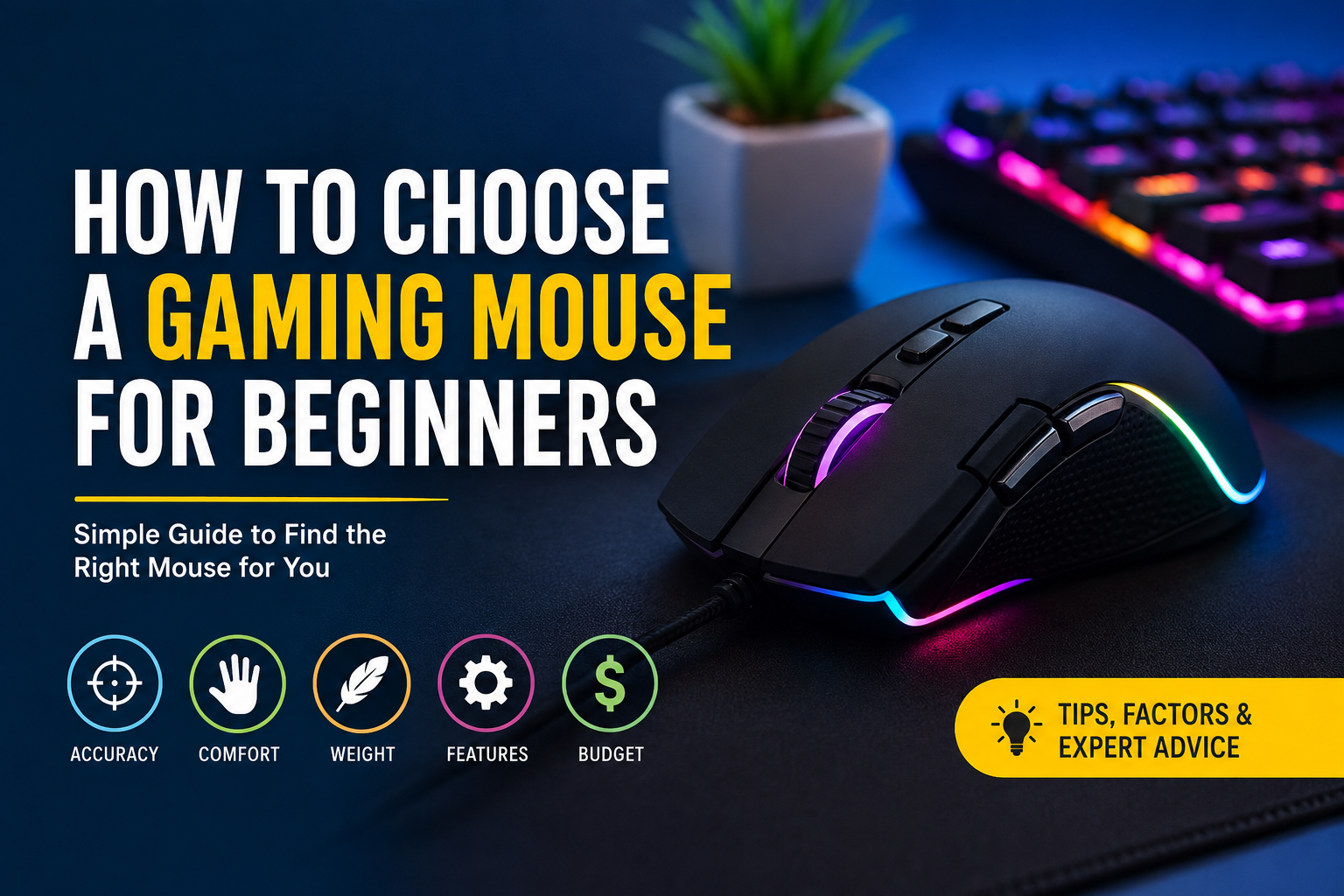
Choosing a gaming mouse for the first time can feel more difficult than it should. When I started learning about gaming accessories, I noticed that there were so many options available. Some mice were expensive, some were very light, some had many buttons, and others looked extremely simple. At first, I thought an expensive gaming mouse would automatically make me better at gaming, but I soon realized that choosing the right mouse is more about comfort, control, and personal preference.
If you are a beginner, you do not need to spend a huge amount of money on a gaming mouse. What matters most is finding a mouse that feels comfortable in your hand and works well for the games you enjoy. In this article, I will explain the important things I would personally consider when choosing a gaming mouse.
Understand Why You Need a Gaming Mouse
Before buying anything, I think it is important to understand why you actually need a gaming mouse. A normal office mouse can work perfectly well for browsing the internet, watching videos, and doing everyday work. However, gaming mice are designed with features that can make gaming more comfortable and responsive.
A gaming mouse usually offers better tracking, adjustable sensitivity, faster response, and sometimes additional buttons. These features can be useful in shooting games, strategy games, role playing games, and many other genres.
For me, the biggest advantage is control. When I play a game that requires accurate aiming, I want my mouse movement to feel smooth and predictable. A good gaming mouse can help provide that feeling.
Choose the Right Mouse Shape
One of the first things I would look at is the shape of the mouse. This is something beginners often ignore because they focus more on technical specifications.
The shape matters because you may use your mouse for several hours. If the mouse does not fit your hand properly, you can become uncomfortable very quickly.
Gaming mice come in different shapes and sizes. Some are designed for larger hands, while others are better for smaller hands. Some have a simple symmetrical shape, while others are designed specifically for the right hand.
I recommend thinking about the size of your hand and how you normally hold a mouse. Do not choose a mouse only because it looks attractive in pictures. A mouse can look excellent but still feel uncomfortable when you actually use it.
Know Your Mouse Grip
Your grip is another important factor. Most people generally use one of three common grip styles: palm grip, claw grip, or fingertip grip.
With a palm grip, most of your hand rests on the mouse. If this is how you naturally hold your mouse, you may prefer a larger mouse that supports your palm.
With a claw grip, your palm touches part of the mouse while your fingers are slightly raised. This grip can provide a balance between comfort and quick movement.
With a fingertip grip, only your fingers touch the mouse while your palm stays away from it. People who use this style often prefer smaller and lighter mice.
I personally think beginners should not force themselves to use a particular grip. Just hold a mouse naturally and choose something that feels comfortable.
Consider the Weight
Mouse weight can make a surprisingly big difference. Some gaming mice are quite heavy, while modern gaming mice can be extremely lightweight.
If you play fast paced shooting games, a lightweight mouse may feel easier to move quickly across a mouse pad. On the other hand, some people prefer a heavier mouse because it feels more stable.
There is no single perfect weight for everyone. I would suggest trying different weights if you have the opportunity. If you cannot try them in person, check the listed weight and read user experiences before buying.
As a beginner, I would avoid choosing a mouse simply because it is the lightest one available. Comfort and control should come first.
Check the Sensor
The sensor is one of the most important technical parts of a gaming mouse. It tracks your physical movement and translates it into movement on your screen.
Modern gaming mice can have very accurate optical sensors. For most beginners, you do not need to worry too much about extremely complicated sensor specifications.
I would focus on getting a reliable mouse from a reputable manufacturer rather than choosing a product just because it advertises a huge sensitivity number.
A good sensor should provide consistent tracking without strange movement or unwanted acceleration. For normal gaming, especially at beginner level, almost any modern quality gaming mouse should provide enough accuracy.
Understand DPI
DPI stands for dots per inch. In simple terms, it describes how much your cursor moves when you physically move your mouse.
A higher DPI means the cursor can move farther with less physical mouse movement. A lower DPI requires more physical movement but can give you greater control.
Many gaming mice allow you to change the DPI using software or a dedicated button.
I personally do not think beginners should become obsessed with extremely high DPI numbers. Having a huge DPI range does not automatically make a mouse better. What matters is finding a sensitivity that feels comfortable and consistent.
If you play competitive shooting games, you may eventually spend time adjusting your sensitivity. However, when you are starting, choose a comfortable setting and focus on improving your actual mouse control.
Look at the Buttons
The number of buttons you need depends heavily on the games you play.
A basic gaming mouse with two main buttons and a scroll wheel may be enough for many beginners. If you mainly play shooting games, you may not need a mouse with ten or fifteen programmable buttons.
On the other hand, additional buttons can be useful in role playing games, massively multiplayer games, and strategy games. You can assign commands to these buttons and access them without moving your hand to the keyboard.
I recommend avoiding unnecessary buttons unless you know you will use them. More buttons can sometimes make a mouse feel complicated or uncomfortable.
Wired or Wireless
Another common decision is whether to buy a wired or wireless gaming mouse.
Wired mice are usually straightforward. You connect the cable and start playing. You also do not have to worry about charging the mouse.
Wireless gaming mice have improved significantly over the years. A good wireless mouse can provide a responsive experience without the inconvenience of a cable.
However, wireless models can cost more, and battery life is something you need to consider.
Personally, I think both options are good. If you have a limited budget, I would probably choose a good wired mouse rather than buying a cheap wireless mouse just because it looks cleaner.
Think About Your Budget
Your budget should always be considered before buying a gaming mouse. I do not believe beginners need the most expensive model.
There are many affordable gaming mice that provide excellent performance. Spending more can give you better materials, lighter construction, improved wireless technology, or additional features, but those improvements may not be necessary for everyone.
I would rather buy a comfortable and reliable mouse at a reasonable price than spend a lot of money on features I will never use.
Before buying, decide how much you are comfortable spending. Then compare several mice within that range.
RGB Lighting Is Optional
RGB lighting is one of the features that attracts many gamers. Personally, I think RGB can make a gaming setup look more interesting, especially when it matches the keyboard, desk, and other accessories.
However, RGB lighting does not improve your aim or gaming performance.
If you have a limited budget, I would always prioritize the sensor, shape, comfort, buttons, and build quality over lighting.
You can always add visual style to your setup later.
Check the Software
Some gaming mice come with software that allows you to customize buttons, DPI settings, lighting, profiles, and other features.
I think software is useful if you want more control over your mouse. However, beginners should not feel pressured to buy a mouse with complicated software.
Before purchasing, I would check whether the manufacturer’s software supports your operating system and whether users generally find it easy to use.
A simple mouse that works reliably can sometimes be better than a complicated mouse that requires constant configuration.
Consider Build Quality
Build quality is another thing I would never ignore. A gaming mouse is something you will probably use frequently, so it should be able to handle regular use.
Look at the materials, buttons, scroll wheel, cable quality if it is wired, and general construction. User reviews can be helpful here because they often reveal problems that are not obvious from product specifications.
I would especially pay attention to reports about double clicking, broken scroll wheels, loose buttons, or wireless connection problems.
Read Reviews Before Buying
Before spending money, I recommend reading several reviews rather than trusting one person’s opinion.
Professional reviews can help you understand technical performance, while customer reviews can tell you about long term experience.
I usually look for repeated comments. If many users mention the same problem, I take it seriously. If only one person complains about something, it may simply be an individual issue.
You can also watch videos showing the mouse from different angles. This can help you understand its shape and size better.
Do Not Choose Based Only on Appearance
Gaming companies make their products look exciting. Some mice have aggressive shapes, bright lighting, and futuristic designs.
While appearance is important if you care about your setup, it should not be your main deciding factor.
For me, comfort always comes before appearance. A simple looking mouse that feels perfect in my hand is much more valuable than an attractive mouse that becomes uncomfortable after thirty minutes.
Final Thoughts
Choosing a gaming mouse as a beginner does not need to be complicated. I would start by thinking about comfort, hand size, grip style, weight, sensor quality, DPI adjustment, buttons, and budget.
You do not need to buy the most expensive mouse or the one with the highest specifications. A reliable mouse that fits your hand and feels comfortable can give you everything you need when you are starting.
I also believe that your gaming mouse should match the games you actually play. Someone who mainly plays shooting games may want a lightweight mouse with excellent tracking, while someone who enjoys strategy or role playing games may benefit more from additional buttons.
Most importantly, do not let marketing convince you that expensive equipment automatically makes you a better gamer. Your skills still matter the most. A good gaming mouse should simply give you comfortable and reliable control so you can focus on improving those skills.
If I were choosing my first gaming mouse today, I would keep things simple. I would set a budget, find a few comfortable shapes, check the sensor and build quality, read real user reviews, and then choose the model that gives me the best balance between comfort, performance, and price. That approach can save money and make the buying decision much easier for any beginner.