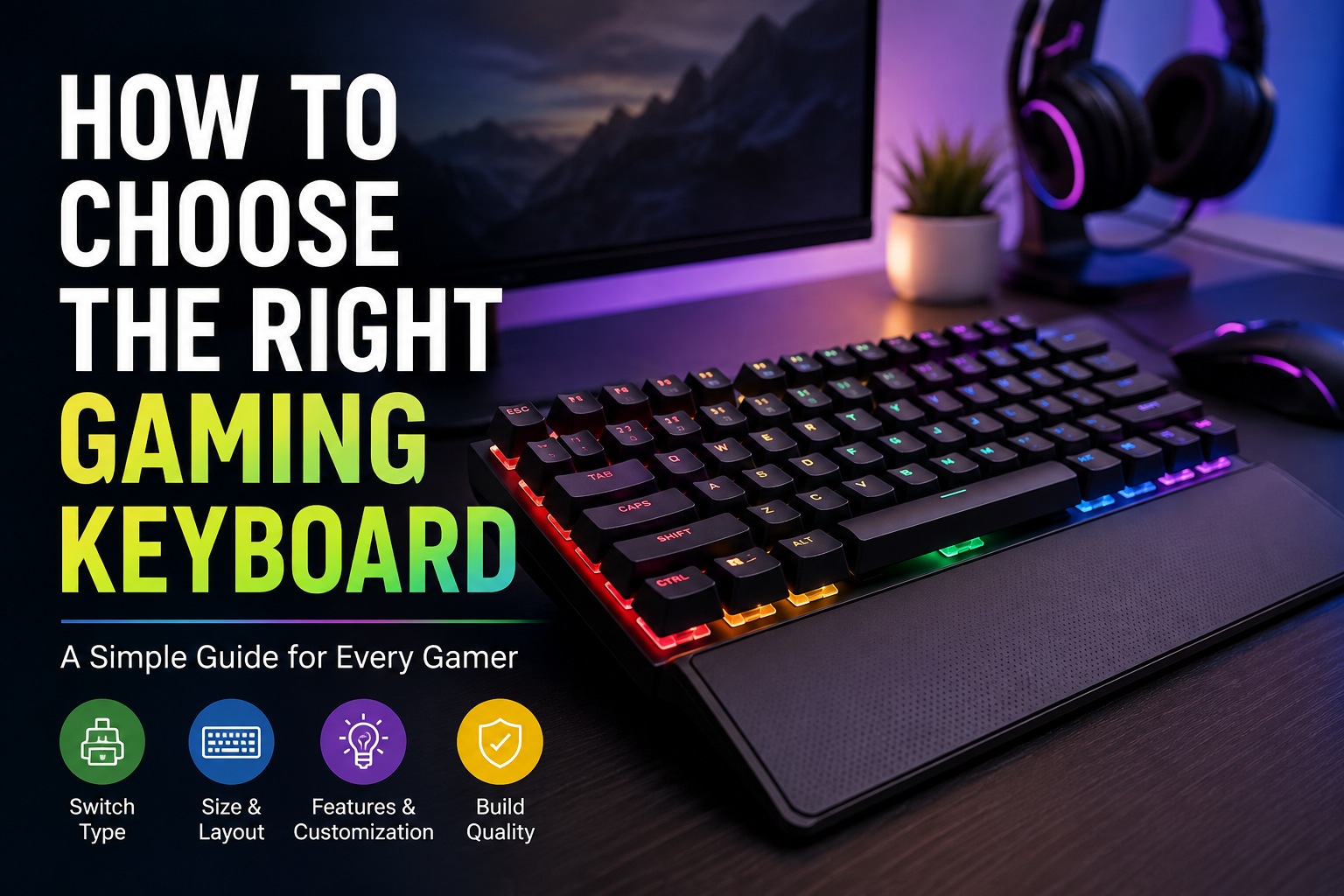
Choosing the right gaming keyboard can make a bigger difference than many beginners expect. When I first started looking at gaming keyboards, I thought almost every keyboard was basically the same. I assumed that a keyboard with colorful RGB lights and a high price would automatically be better. After learning more about keyboards and trying different types, I realized that there are many things worth considering before spending money.
A gaming keyboard is not only about appearance. The switches, size, response time, comfort, build quality, key layout, and extra features can all affect your gaming experience. In my opinion, the best gaming keyboard is not necessarily the most expensive one. It is the one that feels comfortable, responds the way you want, and matches the type of games you normally play.
In this article, I will explain how I would choose a gaming keyboard, especially if I were buying one as a beginner.
Understand What You Need From a Gaming Keyboard
The first thing I recommend doing is thinking about what you actually need. There are hundreds of gaming keyboards available, and they can have completely different features.
If you mostly play competitive games such as first person shooters, fast key response and comfortable switches may be more important to you. If you enjoy strategy games, role playing games, or casual games, you may care more about additional keys and overall comfort.
You should also think about whether you will use the keyboard for other activities. Personally, I prefer a keyboard that works well for both gaming and everyday tasks. If you also write articles, study, browse the internet, or work from your computer, comfort becomes even more important.
Choose the Right Keyboard Size
Keyboard size is something I think many people overlook. Gaming keyboards come in different sizes, and the right choice depends on your desk space and personal preferences.
A full size keyboard normally includes the number pad on the right side. I would recommend this type if you frequently use numbers or simply prefer having every key available.
A tenkeyless keyboard, often called a TKL keyboard, removes the number pad. This gives you more space for your mouse while keeping most of the important keys.
There are also smaller keyboards such as 75 percent, 65 percent, and 60 percent models. These save desk space and can look very clean. However, smaller keyboards may remove some keys or combine functions.
For my personal preference, I think a TKL keyboard is a great balance for gaming. It provides enough keys without taking up too much space.
Mechanical vs Membrane Keyboards
One of the biggest decisions is choosing between mechanical and membrane technology.
Mechanical keyboards use individual mechanical switches under the keys. They are popular among gamers because they usually provide a more precise and responsive typing experience.
Membrane keyboards use a different mechanism where keys press against a membrane layer. They are generally cheaper and can still work perfectly well for casual gaming.
If you are serious about gaming and have the budget, I personally prefer mechanical keyboards. The key presses feel more defined, and there is usually more variety when it comes to switches.
However, I would not say that every gamer needs a mechanical keyboard. A good membrane keyboard can still provide a decent gaming experience, especially for someone who is just starting.
Learn About Mechanical Switches
If you decide to buy a mechanical keyboard, you should learn a little about switches. This can seem confusing at first because there are many different types.
Linear switches provide a smooth key press without a noticeable bump. Many gamers like them because the movement feels fast and consistent.
Tactile switches provide a noticeable bump when the key is pressed. I personally find tactile switches useful when typing because I can feel when a key has registered.
Clicky switches provide both tactile feedback and an audible clicking sound. Some people love this sound, while others may find it annoying, especially if they share a room with someone.
There is no single switch that is perfect for everyone. If possible, I recommend trying different switches before buying a keyboard. The feeling of a switch is very personal.
Consider Response Time
Response time is another important factor for gaming. A keyboard should register your key presses quickly and consistently.
For casual games, you probably do not need to worry too much about extremely low response times. Modern gaming keyboards are generally fast enough for normal gaming.
Competitive players may care more about input latency because even small delays can matter in fast games. If you play competitive shooters or other reaction based games, I would pay more attention to the keyboard’s specifications.
Still, I would not choose a keyboard only because the manufacturer advertises an extremely fast response time. Other factors such as comfort and reliability are also important.
Check N Key Rollover and Anti Ghosting
N key rollover and anti ghosting are useful features for gaming keyboards.
N key rollover allows multiple keys to be registered at the same time. This can be helpful when you are holding several movement or action keys simultaneously.
Anti ghosting helps prevent unwanted key presses from being registered when multiple keys are pressed together.
For most modern gaming keyboards, these features are common. However, I still recommend checking the specifications before buying, especially if you play games that require many simultaneous key presses.
Decide Between Wired and Wireless
Another choice is whether you want a wired or wireless keyboard.
A wired keyboard is simple. You connect it to your computer and start using it. There is no battery to charge, and you do not have to worry about wireless interference.
Wireless gaming keyboards have improved significantly. A good wireless keyboard can provide a reliable connection while keeping your desk cleaner.
Personally, I think wired keyboards are still a great choice for beginners because they are simple and usually less expensive. If you value a clean setup and move your keyboard frequently, wireless can be worth considering.
If you choose wireless, I recommend checking battery life and connection quality before buying.
Think About Build Quality
Build quality matters because you will probably use your gaming keyboard for many hours.
A keyboard with a strong frame can feel more stable when you are gaming or typing. Some keyboards use plastic construction, while others include metal components.
You do not necessarily need a heavy metal keyboard. What matters most to me is whether the keyboard feels solid and stable on the desk.
I also recommend checking the quality of the keycaps. Cheap keycaps can become shiny or worn after extended use. Better keycaps can provide a more comfortable and durable experience.
Look at Keycaps
Keycaps may seem like a small detail, but they can affect how a keyboard feels.
Some keyboards use standard plastic keycaps, while others use higher quality materials. PBT keycaps are popular because they generally resist wear better than many cheaper keycap materials.
You should also consider the shape and texture of the keys. Some keycaps have a smooth surface, while others have a slightly textured feel.
For me, comfort matters more than appearance. A keyboard can look amazing, but if the keys feel uncomfortable after an hour of gaming, I would not consider it a good purchase.
Consider RGB Lighting
RGB lighting is one of the most recognizable features of gaming keyboards. It can make a gaming setup look much better, especially in a dark room.
However, RGB lighting does not improve your gaming performance. I see it as an extra feature rather than something essential.
If you like colorful lighting, there is nothing wrong with choosing a keyboard that offers good RGB customization. Just do not spend a large amount of extra money only for lights.
I would rather spend the extra money on better switches or build quality.
Check Software and Customization
Many gaming keyboards come with software that allows you to customize the keyboard.
Depending on the model, you may be able to change lighting effects, create macros, remap keys, save profiles, and adjust other settings.
I think good software is useful if you enjoy customizing your setup. However, complicated software can sometimes be frustrating.
Before buying, I recommend checking whether the keyboard’s software works with your operating system and whether users generally find it easy to use.
Set a Realistic Budget
Your budget should also guide your decision.
You do not need to spend a huge amount of money on your first gaming keyboard. There are many affordable keyboards that provide mechanical switches, decent build quality, and useful gaming features.
If your budget is limited, I would focus on the essentials first. Good switches, comfortable keycaps, reliable performance, and solid construction are more important to me than premium lighting or unnecessary features.
As your experience grows, you can always upgrade later.
Do Not Ignore Comfort
Comfort is one of the most important things I consider when choosing any keyboard.
Think about how long you normally play. If you spend several hours gaming, a keyboard that feels uncomfortable can become annoying very quickly.
Pay attention to the keyboard’s height, key spacing, wrist position, and overall layout. A detachable wrist rest can also be useful for some people.
I recommend taking regular breaks regardless of which keyboard you choose. Good equipment can improve comfort, but it does not replace healthy computer habits.
Read Reviews Before Buying
Before spending money, I always recommend reading reviews from people who have actually used the keyboard.
Product specifications can tell you about switches, size, connection type, and other features, but reviews can reveal things that specifications cannot.
Look for comments about key stability, software problems, connection issues, noise, durability, and long term comfort.
I also recommend watching real demonstrations when possible. Hearing the switches and seeing how the keyboard feels during actual use can help you understand what you are buying.
Final Thoughts
Choosing the right gaming keyboard does not have to be complicated. In my opinion, the best approach is to focus on your actual gaming habits instead of simply choosing the keyboard with the most features.
Start by deciding what size you want. Then consider mechanical or membrane technology, switch type, wired or wireless connectivity, build quality, keycaps, response time, and comfort. After that, look at additional features such as RGB lighting and customization software.
Most importantly, do not assume that an expensive keyboard will automatically be the best choice. A reasonably priced keyboard that feels comfortable and responds well can be much better for you than a premium model that does not match your preferences.
If I were choosing a gaming keyboard today, I would focus first on comfort, reliable performance, good switches, and solid construction. Everything else would come after those things.
The right gaming keyboard should make gaming feel more enjoyable, not make the buying decision more stressful. Take your time, understand what you actually need, compare a few options, and choose the keyboard that feels right for you.